Resume Template vs Resume Builder 2026: Examples, Checklist & ATS Tips
Trying to choose between a resume template and a resume builder? Use this practical guide to compare both, see examples by use case, and build a stronger ATS-friendly resume faster.
Resume Template vs Resume Builder 2026: Examples, Checklist & ATS Tips
The Struggle
Most people don’t struggle because they “can’t write.” They struggle because resumes feel weird: you’re trying to sell yourself in one page without sounding fake. You open a resume template, stare at blank bullets, and wonder if you should use a resume builder instead. Then you Google what is a resume and get generic advice that doesn’t help you get interviews.
This guide is practical. You’ll learn what a resume really is, a clean template you can copy, and how to choose between a template and a builder—plus scripts by level to write bullets fast.
Quick Cheat Sheet: Template or Builder?
Use this if you want the fast answer.
| If you need... | Choose | Why |
|---|---|---|
| Speed and guided writing | Resume builder | Better for blank-page problems and fast iteration |
| Full manual control | Resume template | Better if your content is already strong |
| Better ATS consistency | Resume builder or a very simple template | Structure is easier to keep clean |
| Frequent job-specific tailoring | Resume builder | Faster to swap bullets and keywords |
Simple rule: if your biggest problem is content, use a builder. If your biggest problem is layout preference, use a template.
Want to skip the blank page and start with stronger bullets? Try ManyOffer Resume Builder. If you already have a draft and want to check whether it matches a real job posting, use Resume Match.
The “Why”: What a Resume Is Actually For
So, what is a resume? It’s a short document that summarizes your experience, skills, and achievements so employers can quickly decide whether to interview you. In practice, a resume has two jobs:
- Pass the first screen (human or ATS): show role fit fast
- Earn the interview: prove impact with evidence, not adjectives
A strong resume is not a biography. It’s a “proof sheet.” Every line should answer: Why should they trust you with this role?
What a Resume Is Actually Supposed to Do
A resume is not a biography. It is a proof document.
It has two jobs:
- pass the first screen, whether that is ATS or a recruiter skim
- earn the interview by showing credible evidence of fit
That is why the format decision matters less than most people think. A polished layout cannot save weak content, and a plain layout can still win if the bullets are specific, relevant, and easy to scan.
Resume Template vs Resume Builder: Step-by-Step Decision
Step-by-Step: The 10-Minute Resume Plan
Step 1: Pick the target role (one).
Your resume must match a role. “Any job” resumes usually get ignored.
Step 2: Extract 8–12 job keywords.
From the job posting, highlight:
- responsibilities (what you’ll do)
- skills/tools (how you’ll do it)
- outcomes (what success looks like)
Step 3: Choose your top 3 proof points.
Pick 3 accomplishments that best match those keywords.
- shipped project
- measurable impact
- ownership under constraints
Step 4: Decide your format: resume template vs resume builder.
- Use a resume template if you want full control and simple formatting.
- Use a resume builder if you want speed, consistent layout, and guided sections.
Your goal is a resume that is clean, readable, and easy to scan in 20 seconds.
If you are tailoring for a specific posting, do not stop here. Run the final draft through ManyOffer Resume Match to check whether your keywords actually align with the job description.
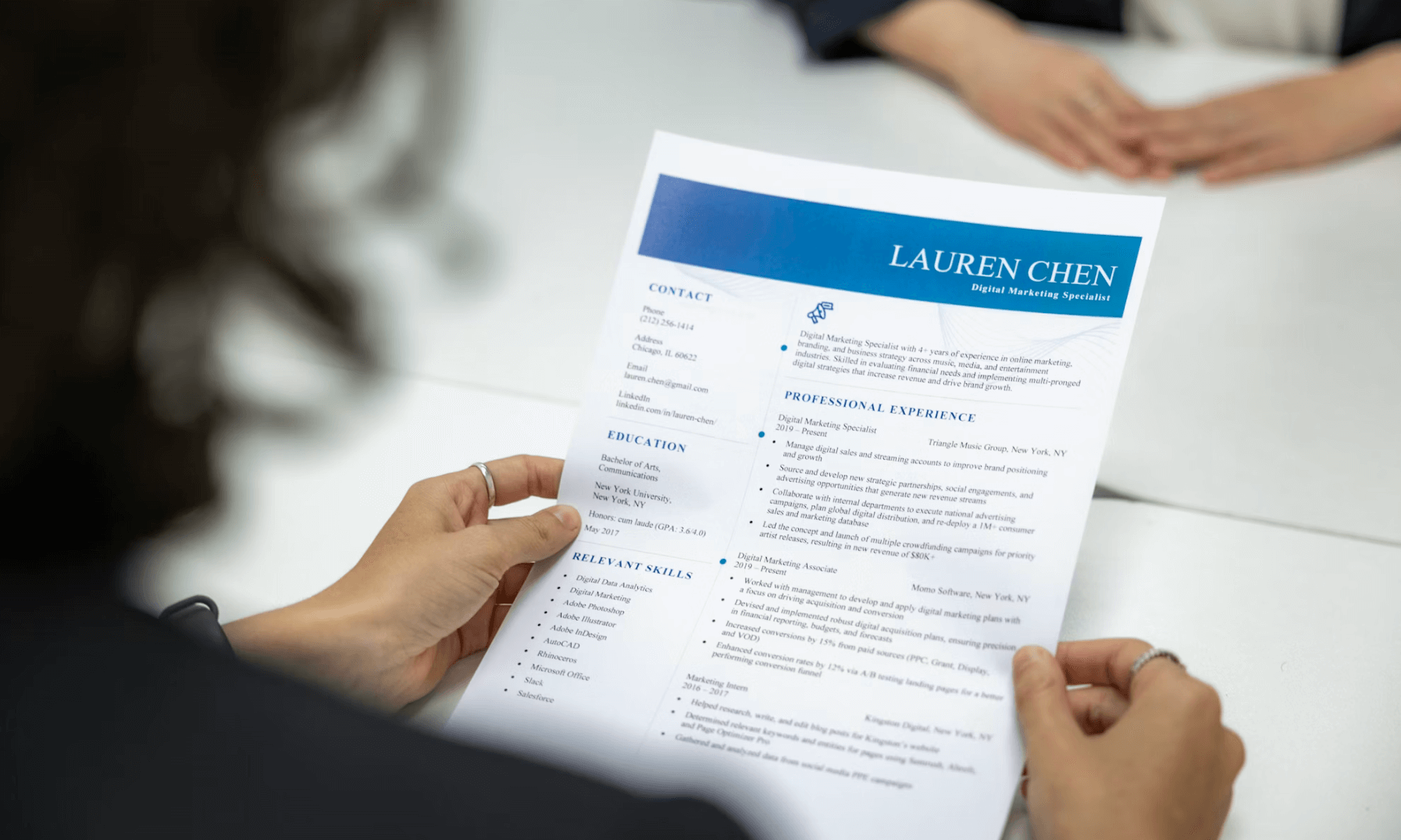
Resume Template Structure (Copy-Paste)
Use this as your base. Keep it to one page unless you’re extremely experienced.
Header
- Name | City, Country | Email | Phone | LinkedIn | Portfolio/GitHub (if relevant)
Summary (optional, 2 lines max)
- “{Role} with {X} experience in {domain}. Proven impact in {2–3 keywords}.”
Skills (tight, role-aligned)
- Languages/Tools: …
- Methods/Frameworks: …
- Domain: …
Experience (most important)
For each role:
- Company | Title | Dates | Location
- 3–5 bullets, impact-first
Projects (for new grads / career switchers)
- Project name | Stack | 2–3 bullets with outcomes
Education + Certifications (if relevant)
- Degree | School | Dates
- Certs (only if they support the role)
Resume Examples: When a Template Wins vs When a Builder Wins
Example 1: New grad with limited experience
If you are a new grad, the hardest part is usually not layout. It is generating strong project bullets, selecting keywords, and fitting everything onto one page. A builder usually wins because it removes the blank-page problem.
Best fit:
- resume builder
- guided project and skills sections
- quick rewrites for clearer impact
Example 2: Experienced engineer with a strong master resume
If you already keep a strong master document and mostly need to trim or rearrange, a simple template can still work well.
Best fit:
- resume template
- manual control over spacing and section order
- fast edits when the content is already proven
Example 3: Applying to many roles in one week
If you are changing top bullets, summaries, and skills for different jobs, speed matters more than design preference.
Best fit:
- resume builder
- faster iteration for multiple applications
- easier keyword alignment for ATS-heavy workflows
The Bullet Formula
Use this structure for every bullet:
Action verb + what you did + how you did it + measurable result
Examples:
- “Built X using Y to achieve Z.”
- “Improved X by Y% by implementing Z.”
Step-by-Step: Write Bullets in 5 Minutes
- Start with the outcome (metric).
- Add scope (users, scale, frequency).
- Add your action (what you personally did).
- Add tools/keywords (2 max per bullet).
- Remove fluff (“hardworking,” “passionate,” “responsible for”).
If you need help making those bullets more ATS-friendly, read ATS Resume Optimization 2026.
Scripts by Level
Junior / New Grad / Internship
Goal: show learning speed + projects + fundamentals.
- “Built {project} using {tech} to {result} (e.g., reduced runtime by {X}%, improved accuracy to {Y}).”
- “Implemented {feature} and validated with {tests/metrics}, improving {metric}.”
- “Collaborated with {team} to deliver {deliverable} by {deadline}.”
If you have no metrics
- “Delivered {output} and improved {process/quality} by {specific change}.”
Senior IC
Goal: show ownership + trade-offs + measurable impact.
- “Owned {system/module} end-to-end; improved {metric} by {X}% through {approach}.”
- “Reduced incidents from {A} to {B} by implementing {monitoring/automation} and tightening {process}.”
- “Led cross-team alignment with {stakeholders} to ship {initiative} and deliver {business impact}.”
Manager / Lead
Goal: show scope + leadership system + outcomes.
- “Led {team size} across {functions} to deliver {initiative}, improving {metric} by {X}%.”
- “Created an operating rhythm (goals, ownership, reviews) that reduced cycle time by {X}% and improved quality outcomes.”
- “Partnered with {stakeholders} to prioritize roadmap trade-offs and deliver {result} under {constraint}.”
Resume Builder vs Resume Template: How to Choose
Use a resume builder when:
- you need a clean layout quickly
- you want guided sections and formatting consistency
- you’re applying to many roles and want fast iterations
Use a resume template when:
- you want full control over formatting and spacing
- you already have strong content and just need structure
- you want a minimal, ATS-friendly layout
No matter what you choose, content wins. A great-looking resume with weak proof still fails.
5 Common Resume Template Mistakes
1. Choosing style before substance
People spend an hour picking colors and fonts, then leave weak bullets untouched. Recruiters care about proof first.
2. Using a template that is too decorative
Sidebars, icons, and heavy visuals often hurt ATS readability.
3. Copying generic sample bullets
If your resume reads like everyone else’s, it loses immediately. Use examples for structure, not for content.
4. Keeping every old detail
Templates make it easy to keep adding. Strong resumes are edited, not just formatted.
5. Never testing against a real job description
Even a clean template underperforms if it does not reflect the target role language.
FAQ
1) What is a resume and how long should it be?
A resume is a short document that summarizes your experience, skills, and achievements to earn an interview. For most candidates, one page is ideal. Keep it scannable: role-aligned keywords, impact-first bullets, and clear formatting. Only go beyond one page if you have extensive, highly relevant experience.
2) Is a resume builder better than a resume template?
A resume builder is better for speed and consistent formatting. A resume template is better for full control and minimal layouts. Both can work if the content is strong. Choose the option that helps you tailor faster and keeps your resume easy to read in 10–20 seconds.
3) What is the best resume template format for ATS?
Use a simple, single-column layout with standard headings (Experience, Skills, Education). Avoid heavy graphics, tables, and text boxes. Use clear dates and locations, and keep bullets consistent. ATS-friendly resumes are usually plain, structured, and keyword-aligned—content clarity matters more than design.
4) Should I use a resume builder if I already have a resume?
Usually yes, if you struggle with tailoring, rewriting weak bullets, or keeping formatting clean across multiple applications. A builder is not only for starting from zero. It is often faster for iteration.
5) What should I do after choosing a template or builder?
Compare your final draft against a real posting. The format decision is only step one. The next step is checking whether your wording, keywords, and evidence match the role.
Want to turn a resume template into a resume that actually gets interviews? Start with ManyOffer Resume Builder for stronger content, then use Resume Review to catch weak sections before you apply. Want to practice explaining your resume bullets in interviews so your stronger resume converts into offers? Try ManyOffer Interview Practice and rehearse the stories behind your bullets.